

Introduction
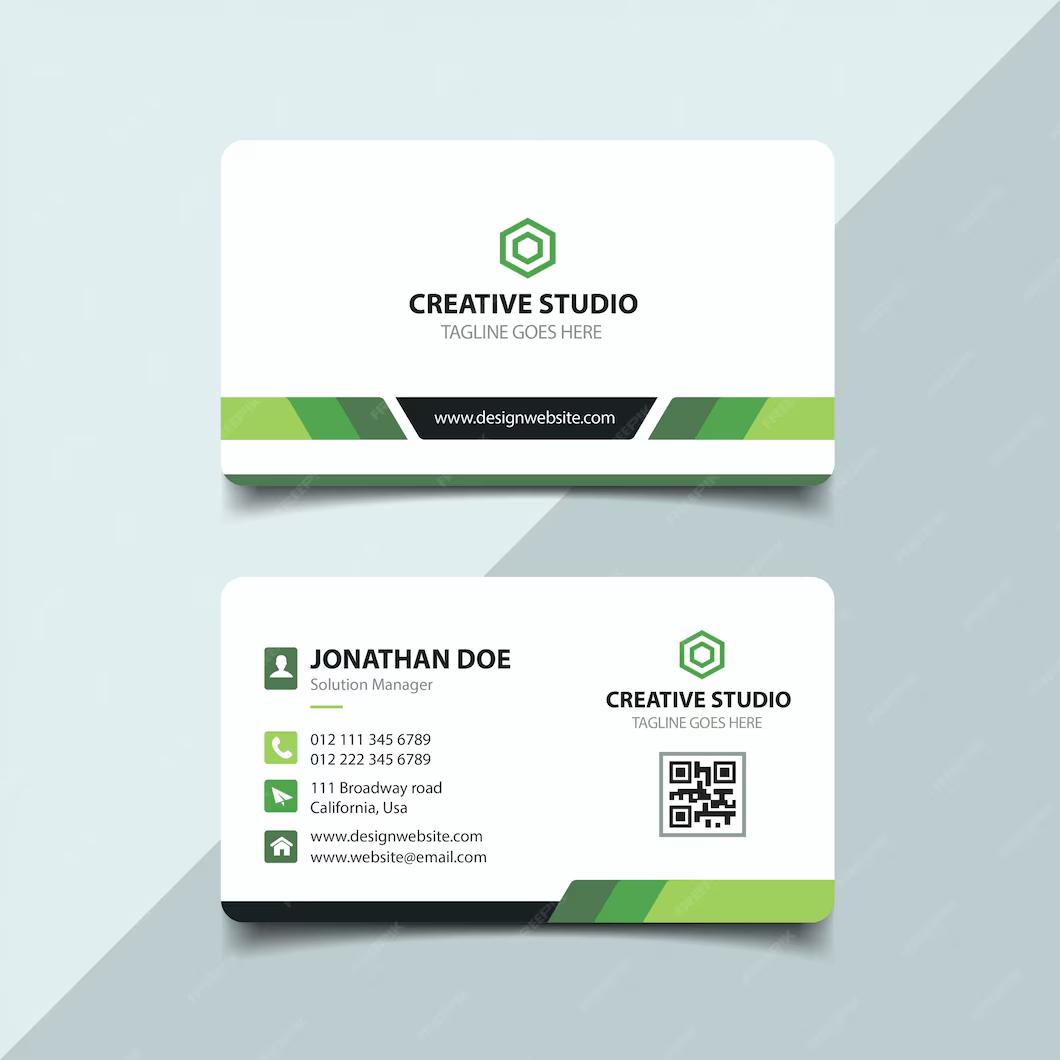
Corporate Business Card is a Business Card Design Resource. A professionally designed business card is an important part of a company’s visual identity and provides a simple way to share essential contact information with clients, customers, partners, and colleagues. The Corporate Business Card template provides a clean and professional layout that can be customized with your company’s branding, contact details, logo, and other business information.
Whether you’re creating stationery for a corporate company, startup, agency, consultant, or professional service provider, this template can help you create a consistent and polished business identity. In this guide, you’ll learn about the features of the template, how to customize it, and the best ways to use it in your branding projects.
What is Corporate Business Card?
A Corporate Business Card is a ready-made professional stationery design created for businesses and organizations. It typically includes dedicated areas for a company logo, employee name, job title, contact information, and other important business details.
A typical corporate business card may include:
- Front and back card layouts
- Company logo area
- Employee name and designation
- Phone number and email address
- Business website
- Office address
- Social media information
- Corporate branding elements
- Print-ready layout
The organized design helps businesses present their contact information in a clear and professional format.
Benefits of Using Corporate Business Card
Using a professionally designed business card template offers several advantages:
- Creates a professional first impression
- Strengthens corporate brand identity
- Saves time during the design process
- Provides an organized contact information layout
- Easy to customize with company details
- Suitable for professional networking
- Useful for both employees and business owners
A consistent business card design can also help maintain the same visual identity across other corporate stationery and marketing materials.
What’s Included in the Download?
Your download may include:
- Editable files (EPS Format)
- Front and back business card designs
- High-resolution artwork
- Fully editable vector elements
- Print-ready layout
- Logo and contact information areas
How to Customize the Corporate Business Card
You can edit the vector template using Adobe Illustrator.
Step 1:
Download the Corporate Business Card template using the link below.
Step 2:
Extract the ZIP file to your preferred directory.
Step 3:
Open the editable business card file in Adobe Illustrator.
Step 4:
Replace the sample information with your own:
- Company name
- Company logo
- Employee name
- Job title
- Phone number
- Email address
- Website
- Office address
- Social media details
Step 5:
Customize the visual design:
- Change colors to match your brand
- Edit fonts and typography
- Adjust graphic elements
- Replace or reposition the logo
- Modify shapes and decorative elements
Step 6:
Check the front and back layouts to make sure all information is correctly aligned and easy to read.
Step 7:
Review the document’s dimensions, bleed, and safe areas according to your printing requirements.
Step 8:
Export the completed business card as a high-quality PDF or another format required by your printing provider.
Best Use Cases
This Corporate Business Card resource is ideal for:
- Corporate companies
- Small businesses
- Startups
- Marketing agencies
- Creative agencies
- Consulting firms
- Freelancers
- Professional service providers
- Real estate businesses
- Technology companies
- Sales teams
- Business networking
It can also be adapted for different employees while keeping the company’s overall branding consistent.
Professional Business Card Design Tips
For the best results when using a corporate business card template:
- Use your official company logo in high resolution.
- Keep contact information clear and readable.
- Use brand colors consistently.
- Avoid placing important information too close to the edges.
- Choose professional and readable typography.
- Maintain consistent alignment between front and back designs.
- Avoid adding unnecessary information.
- Review spelling and contact details before printing.
- Always check the printer’s requirements for bleed and color settings.
Keep Contact Information Clear
A business card should make it easy for someone to find the information they need. Use clear visual hierarchy for the person’s name, job title, phone number, email address, and website.
Maintain Corporate Branding
Use the same logo, colors, typography, and visual elements found in your other company materials. This helps create a consistent brand identity across business cards, letterheads, brochures, websites, and other marketing materials.
Fonts Used
- Myriad Pro.
Download Corporate Business Card
Click the Download button below to get this editable Corporate Business Card template and create professional business cards for your company, employees, clients, networking events, and corporate branding projects.