

Introduction
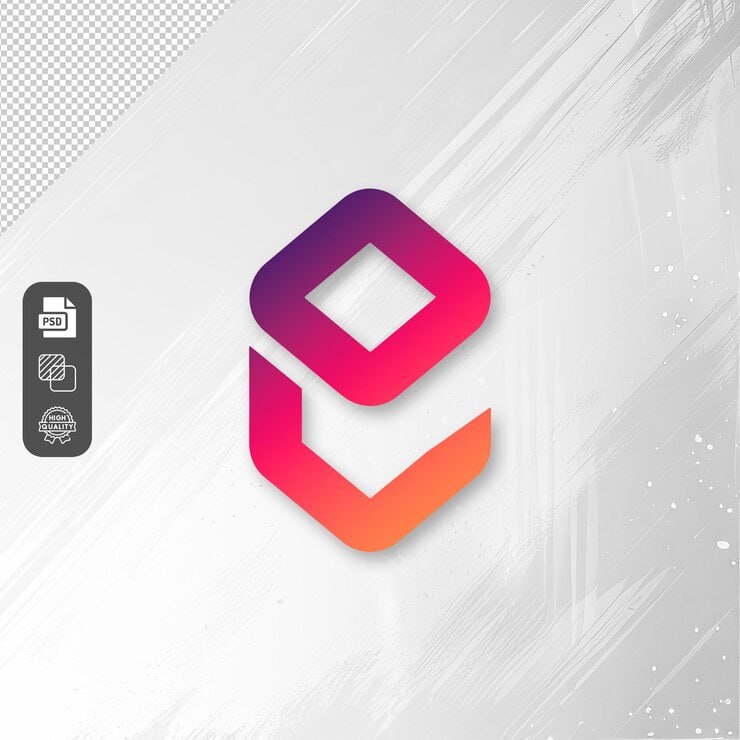
Gradient E-Logo Design is a modern Logo Template Resource featuring a stylish letter “E” created with smooth, vibrant gradient colors. The colorful design combines shades such as blue, purple, pink, orange, and yellow to create a dynamic visual identity with a contemporary and creative appearance.
A well-designed logo can play an important role in establishing a recognizable brand identity. The Gradient E-Logo Design provides a strong visual starting point for businesses, startups, digital services, creative projects, technology brands, personal portfolios, and other organizations looking for a colorful and modern logo concept.
The combination of flowing shapes, rounded edges, and multiple gradient colors gives the logo a dimensional appearance while maintaining a clean and professional presentation.
What is Gradient E-Logo Design?
Gradient E-Logo Design is a colorful logo concept centered around the letter “E.” The design uses flowing geometric forms and vibrant color transitions to create a distinctive symbol.
The gradient effect moves through multiple bright colors, creating visual depth and making the logo stand out against a simple background. Its minimal structure allows the symbol to work as a standalone brand mark or as part of a larger visual identity system.
The letter “E” can represent a company name, product, service, website, application, personal brand, or other organization whose identity begins with the letter E.
Benefits of Using Gradient E-Logo Design
-
Modern and Creative Appearance
The combination of vibrant gradients and smooth shapes gives the logo a contemporary appearance suitable for modern brands and digital businesses.
-
Strong Visual Recognition
A distinctive symbol can help customers recognize a brand more easily. The unique “E” concept provides a memorable foundation for developing a visual identity.
-
Suitable for Digital Brands
The colorful appearance works particularly well for businesses operating in digital environments, including websites, applications, technology services, creative agencies, and online platforms.
-
Flexible Branding Resource
Depending on the included file format and license, the logo concept can potentially be adapted for different branding applications such as websites, social media profiles, business cards, and promotional materials.
-
Saves Logo Design Time
A prepared logo concept gives designers a starting point instead of requiring them to create an entire symbol from the beginning.
What’s Included in the Download?
The exact contents depend on the original downloadable package. Before publishing this resource, verify the files included in your download and update this section accordingly.
The package may contain:
- Editable files (PSD Format)
- Gradient E logo artwork
- Logo preview
How to Customize the Gradient E-Logo Design
If the downloaded file is provided in an editable format, you can customize the logo according to your branding requirements.
Step 1: Download the Logo Resource
Download the Gradient E-Logo Design package from the download section.
Step 2: Extract the Files
If the resource is provided as a ZIP file, extract the contents to a suitable folder on your computer.
Step 3: Open the Source File
Open the included editable file using compatible graphic-design software. The required software will depend on the actual file format provided.
Step 4: Customize the Gradient Colors
If the artwork is editable, adjust the gradient colors to match your brand palette. You can use a smaller color range for a more minimal identity or retain multiple colors for a vibrant appearance.
Step 5: Adjust the Logo Shape
If the source artwork allows editing, modify the shape, proportions, spacing, or other visual elements carefully while maintaining the recognizable “E” concept.
Step 6: Add Your Brand Name
Combine the logo symbol with your company, product, website, or personal brand name when required.
Consider testing different arrangements, such as:
- Symbol above the brand name
- Symbol beside the brand name
- Symbol used independently
- Compact icon version for small spaces
Step 7: Create Different Logo Versions
For professional branding, consider preparing multiple versions of the logo, such as:
- Full-color version
- Single-color version
- Light-background version
- Dark-background version
- Icon-only version
- Horizontal logo version
Step 8: Export the Final Logo
Export the finished logo in formats appropriate for its intended use. Keep a high-quality master version for future editing and create optimized versions for websites and social media.
Best Use Cases for Gradient E-Logo Design
The colorful “E” symbol can be suitable for many types of creative and commercial branding projects.
Technology Companies
The modern gradient appearance can work well for software companies, technology startups, web applications, and digital services.
Creative Agencies
Design agencies, marketing companies, branding studios, and creative businesses can use this type of visual direction as inspiration for a vibrant brand identity.
E-Commerce Businesses
The logo concept can be adapted for online stores, digital marketplaces, product platforms, and e-commerce services.
Mobile Applications
A simplified logo symbol can work effectively as an application icon when designed and exported at appropriate sizes.
Personal Branding
Individuals whose names or businesses begin with “E” can use the concept as inspiration for a personal logo or portfolio identity.
Websites and Online Platforms
The logo can be incorporated into website headers, navigation areas, favicons, social profiles, and other digital branding locations.
Social Media Branding
The symbol can be adapted for profile pictures, social media posts, cover graphics, and promotional content where a recognizable brand mark is needed.
Professional Logo Design Tips
Keep the Logo Recognizable
A logo should remain identifiable even when displayed at a small size. Avoid adding unnecessary details that could disappear when the logo is reduced.
Maintain Consistent Colors
Use the same gradient colors across your website, social media graphics, business cards, and marketing materials to create a consistent visual identity.
Test the Logo on Different Backgrounds
Check the logo against both light and dark backgrounds. A version that works well on white may require adjustments for dark-colored layouts.
Create a Monochrome Version
Although the gradient is an important visual feature, a single-color version can be useful for documents, stamps, printing, and situations where color reproduction is limited.
Consider Small-Size Applications
Test the logo as a website favicon, social media profile image, mobile application icon, and other small formats. Details should remain clear at reduced sizes.
Avoid Overusing the Gradient
The colorful logo can be the main visual accent of a brand. Pair it with simpler typography and supporting colors so the overall identity does not become visually overwhelming.
Check Logo Licensing
If you intend to use the resource for a commercial business, carefully review the license supplied with the download. Confirm whether modification, commercial use, trademark registration, and redistribution are permitted.
If you plan to register the resulting design as a trademark, make sure the resource license allows this type of use and consider developing an original identity where appropriate.
Suggested Brand Applications
The Gradient E-Logo Design can be used as a starting point for:
- Company logos
- Startup branding
- Website identity
- Mobile app icons
- Social media profiles
- Business cards
- Letterheads
- Presentation materials
- Digital advertisements
- Product branding
- Website favicon
- Marketing materials
- Portfolio websites
Download Gradient E-Logo Design
Download the Gradient E-Logo Design and use it as a starting point for your next branding or creative project. The vibrant gradient treatment and distinctive letter “E” provide a modern visual direction that can be adapted for websites, applications, social media, business materials, and digital brands.