

Introduction
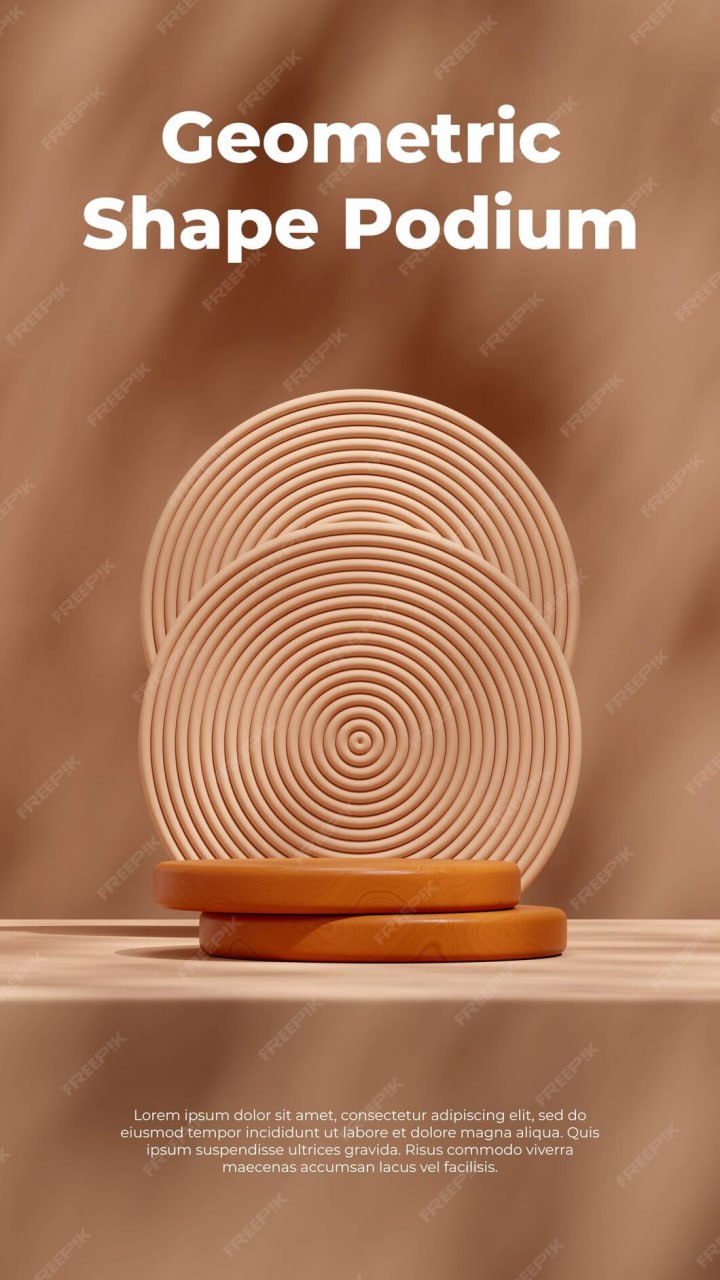
Geometric Shape Podium is a Podium Design Resource. Podium scenes are widely used in product presentations, advertising, branding, and promotional graphics because they provide a clean visual space for highlighting a product or design. The Geometric Shape Podium resource combines geometric forms, modern shapes, and a three-dimensional presentation to create an attractive setting for showcasing products and creative artwork.
Whether you’re creating a product advertisement, social media post, website banner, promotional campaign, or presentation graphic, this resource provides a ready-made visual foundation for displaying products in a modern and organized environment. In this guide, you’ll learn about the features of the resource, how to customize it, and the best ways to use it in your design projects.
What is Geometric Shape Podium?
A Geometric Shape Podium is a ready-made 3D composition featuring geometric platforms or abstract shapes arranged to create a product display scene. The podium can provide a central focal point where products, logos, text, or other visual elements can be placed.
A typical geometric podium design may include:
- 3D geometric platforms
- Abstract shapes
- Product display areas
- Modern backgrounds
- Lighting and shadow effects
- Decorative geometric elements
- Editable graphic components
- High-resolution presentation
The composition can be used as a background or display environment for different types of creative projects.
Benefits of Using Geometric Shape Podium
Using a professionally designed podium resource offers several advantages:
- Creates an attractive product presentation
- Provides a clear focal point for designs
- Saves time when creating 3D display scenes
- Adds depth and dimension to promotional graphics
- Suitable for digital and print projects
- Easy to combine with products, logos, and typography
- Useful for modern advertising and branding
A geometric podium can also help separate the main product from the background and create a structured visual hierarchy.
What’s Included in the Download?
Your download may include:
- Editable files (PSD Format)
- High-resolution podium artwork
- 3D geometric shapes
- Editable vector elements or layers
- Background elements
- Lighting and shadow effects
- Decorative objects
How to Customize the Geometric Shape Podium
Use the compatible design software specified with the download.
Step 1:
Download the Geometric Shape Podium resource using the link below.
Step 2:
Extract the ZIP file to your preferred directory.
Step 3:
Open the editable file in the appropriate design software, such as Adobe Photoshop, depending on the supplied format.
Step 4:
Place your product, logo, artwork, or other visual content on the podium.
Step 5:
Customize the design according to your requirements:
- Change background colors
- Modify geometric elements
- Adjust product placement
- Resize display objects
- Edit shadows or lighting where available
- Add your company logo
- Add promotional typography
Step 6:
Arrange your content so that the main product or message remains the primary visual focus.
Step 7:
Review the complete composition and make sure all elements are properly aligned.
Step 8:
Export the finished design as a high-quality PNG, JPG, PDF, or another suitable format for your intended use.
Best Use Cases
This Geometric Shape Podium resource is ideal for:
- Product advertisements
- Product showcases
- Social media graphics
- Website banners
- Promotional campaigns
- E-commerce graphics
- Brand presentations
- Logo presentations
- Product launch designs
- Marketing materials
- Presentation slides
- Creative portfolios
It can be particularly useful for modern product presentations where a clean background and strong visual focus are important.
Professional Podium Design Tips
For the best results when using a geometric podium:
- Place the main product where it receives the most visual attention.
- Choose background colors that complement the product.
- Maintain enough empty space around the main object.
- Use consistent lighting and shadows.
- Avoid overcrowding the podium with too many decorative elements.
- Keep promotional text readable.
- Use high-resolution product images for a professional presentation.
Create a Strong Focal Point
The podium should support the main subject rather than compete with it. Place your product, logo, or key message in a prominent position and use the geometric shapes as supporting elements.
Use Consistent Colors
If the podium is being used for a business campaign, consider adapting the colors to match the company’s existing brand identity. Consistent colors can help connect the presentation with other marketing materials.
Maintain Visual Balance
Arrange geometric objects carefully so the composition does not feel too crowded on one side. Balanced spacing can make the final presentation look cleaner and more professional.
Fonts Used
- Kind
Download Geometric Shape Podium
Click the Download button below to get this Geometric Shape Podium resource and create modern product presentations, advertisements, social media graphics, website banners, branding materials, and promotional designs.