

Introduction
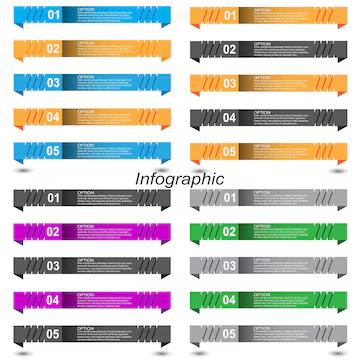
Collection Infographics with Steps is an Infographic Design Resource Template. Infographics are an effective way to present information, processes, instructions, and data in a clear and visually engaging format. The Collection Infographics with Steps resource provides professionally arranged infographic elements that can help designers explain multiple stages, processes, or ideas in an organized visual layout.
Whether you’re creating a business presentation, educational material, marketing content, workflow diagram, project overview, or social media graphic, this infographic collection can help transform complex information into an easy-to-understand visual format. In this guide, you’ll learn about the features of the resource, how to customize it, and the best ways to use it in your design projects.
What are Collection Infographics with Steps?
Collection Infographics with Steps are ready-made infographic designs that use numbered stages, connected elements, icons, shapes, and text areas to visually explain a process or sequence.
A typical infographic collection may include:
- Numbered step layouts
- Process diagrams
- Editable icons and shapes
- Text placeholders
- Arrows and connecting elements
- Modern infographic compositions
- Scalable vector graphics
These elements can be rearranged and customized to explain different types of information.
Benefits of Using Collection Infographics with Steps
Using professionally designed infographic templates offers several advantages:
- Makes complex information easier to understand
- Saves time when creating process diagrams
- Provides an organized visual structure
- Helps present information in a logical sequence
- Easy to customize for different topics
- Suitable for digital and print projects
- Useful for presentations, reports, and marketing materials
Step-based infographics are particularly useful when information needs to be understood in a specific order.
What’s Included in the Download?
Your download may include:
- Editable files (AI/EPS Format)
- High-resolution infographic templates
- Fully editable vector elements
- Editable icons and shapes
- Numbered step designs
- Ready-to-use infographic layouts
- Free font information (if applicable)
How to Customize the Infographics
You can edit this infographic resource using Adobe Illustrator.
Step 1:
Download the Collection Infographics with Steps using the link below.
Step 2:
Extract the ZIP file to your preferred directory.
Step 3:
Open the editable vector file in Adobe Illustrator.
Step 4:
Choose the infographic layout that best matches your project.
Step 5:
Replace the sample content with your own:
- Step titles
- Descriptions
- Numbers
- Statistics
- Instructions
- Headings
- Supporting information
Step 6:
Customize the visual elements:
- Change colors to match your brand
- Edit icons
- Modify shapes
- Adjust typography
- Reposition infographic elements
- Add or remove steps
Step 7:
Arrange each step in a logical order and check that arrows or connecting elements clearly communicate the intended sequence.
Step 8:
Export the finished infographic as a high-quality PNG, JPG, PDF, SVG, or another suitable format.
Best Use Cases
This Collection Infographics with Steps resource is ideal for:
- Business presentations
- Educational materials
- Marketing campaigns
- Process diagrams
- Project management
- Business reports
- Workflow presentations
- Training materials
- Social media graphics
- Website content
- Company presentations
- Data visualization
Businesses can use step-based infographics to explain workflows, customer journeys, product processes, or service procedures in a more engaging way.
Professional Infographic Design Tips
For the best results when using step-based infographics:
- Keep each step short and easy to understand.
- Use consistent typography throughout the design.
- Number the steps clearly.
- Use arrows or connectors when they help explain the sequence.
- Choose colors that provide sufficient contrast.
- Avoid placing too much text into a single section.
- Use icons that clearly represent the information.
- Maintain consistent spacing between each step.
Keep the Information Simple
The purpose of an infographic is to make information easier to understand. Avoid filling every available space with text. Use concise descriptions and let visual elements support the information.
Create a Clear Visual Hierarchy
Make step numbers, headings, and important information visually distinct. This allows readers to quickly scan the infographic and understand the overall process.
Maintain Brand Consistency
If you’re using the infographic for a business or organization, match its colors, typography, and visual style with your existing brand identity.
Download Collection Infographics with Steps
Click the Download button below to get this editable Collection Infographics with Steps resource and create professional process diagrams, presentations, educational graphics, business reports, and marketing materials.