

Introduction
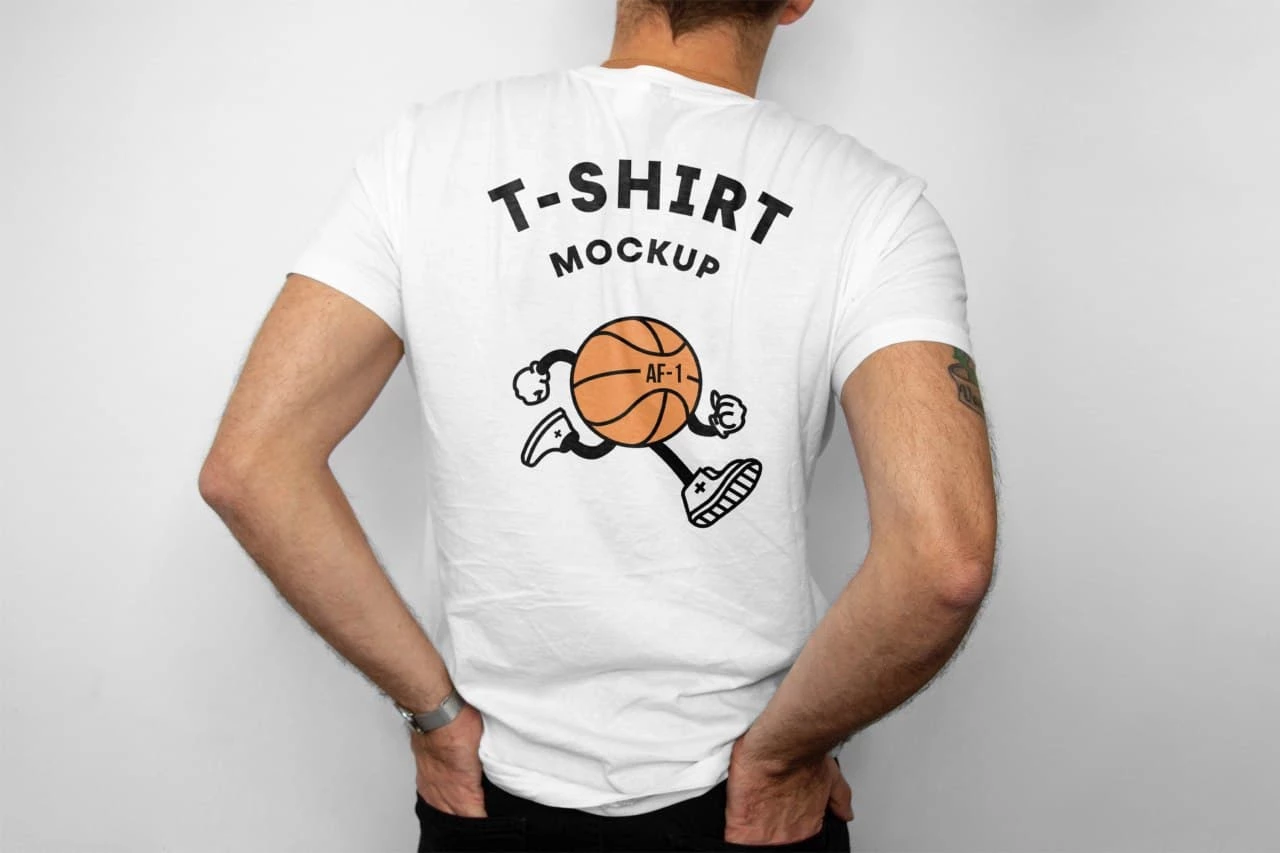
T-Shirt Back Mockup is a Mockup Template Resourse. When showcasing apparel designs, most designers focus on the front—but the back of a t-shirt is just as important. A professional mockup helps you present your designs in a realistic and polished way, making it easier to visualize how your artwork will look on actual clothing.
Whether you’re designing for a clothing brand, print-on-demand store, or client project, this mockup allows you to display your creativity with precision. In this guide, you’ll learn how to use this mockup, customize it, and apply it effectively in real-world projects.
What is a T-Shirt Back Mockup?
A t-shirt back mockup is a digital template that shows the rear view of a t-shirt, allowing designers to place graphics, logos, or text on the back side of the garment.
It typically includes:
- Realistic fabric texture
- Natural shadows and lighting
- Clean or isolated background
- Editable design area
This makes it easier to present designs professionally without needing a physical photoshoot.
Why This Mockup is Useful?
Using a t-shirt back mockup offers several advantages:
- Showcases full apparel design (front + back)
- Saves time and production costs
- Enhances portfolio presentation
- Helps clients visualize final products
This is especially useful for clothing brands and online stores.
What’s Included in the Download?
When you download this mockup, you’ll get:
- Editable file (PSD)
- High-resolution design
- Organized layers for easy editing
- Realistic shadows and textures
How to Edit the T-Shirt Mockup?
You can customize this mockup using Adobe Photoshop.
Step-by-Step Guide:
Step 1:
Download the mockup file from the link below.
Step 2:
Extract the ZIP file.
Step 3:
Open the file in your preferred software.
Step 4:
Locate the editable area:
- Back design layer
- Smart object (in PSD files)
Step 5:
Insert your design:
- Add logo or artwork
- Adjust size and placement
- Align design properly
Step 6:
Customize the look:
- Change shirt color
- Adjust shadows and lighting
- Add background if needed
Step 7:
Export the final mockup in PNG or JPG format.
Best Use Cases
This t-shirt back mockup is perfect for:
- Clothing brand presentations
- E-commerce product listings
- Social media promotions
- Portfolio showcases
- Print-on-demand previews
Pro Tips for Better Mockup Designs
To get the best results:
- Use high-resolution artwork
- Keep designs centered and balanced
- Match colors with fabric tones
- Avoid overcrowding the design
- Use realistic shadows for depth
Download T-Shirt Back Mockup
Click the button below to download and start showcasing your designs professionally.